
WhatsApp is the most popular real-time chatting application, available for various platform like iOS, Windows, Android. And most of us consider the WhatsApp is a different chatting application and we don’t want that one of your friend or family members to find your WhatsApp photos in the Galley. Like all other problems, we also have a very simple solution for this problem too. In this article, I’m going to show you how to hide WhatsApp photos.
How to Hide WhatsApp Photos from the Gallery
- It’s is very simple to hide WhatsApp images from the gallery, all you have to do is follow the steps given below without making mistakes.
- Open your file manager application, in my case; it is Solid File Explorer.
- Now go to the WhatsApp folder, if you are not able to find the folder you can easily search for the folder by clicking the search button and once you find the WhatsApp folder click on it and then click on Media folder as shown in the screenshot below.
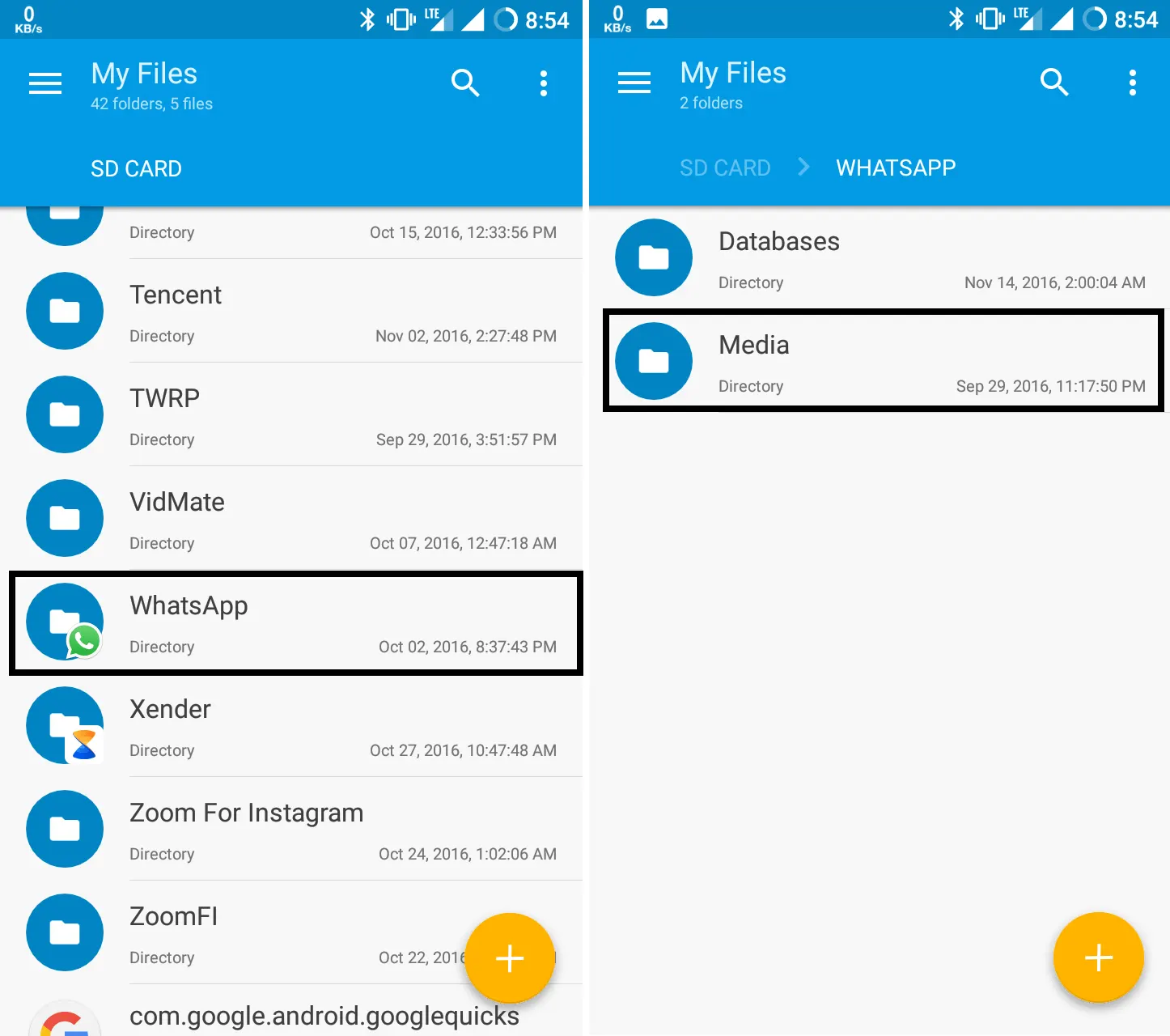
- Once you click on Media folder, you will find media folders of WhatsApp like, videos, images, profile pictures. You need to click on WhatsApp Images folder, and after that, you have to create a new file in that folder by clicking the plus (+) button on the southeast side of the window.
- Now Click on file to create a new file in the folder, create a file with the name “.nomedia” and click on OK to create the folder.You are all done, now all you have to check your gallery to confirm that the folder has vanished. If it is not going to the app info of the gallery application and clear the cache and you are done.
- To make the WhatsApp Images visible again in the gallery all you need to do is delete the .nomedia file from the WhatsApp images folder.
Conclusion
That’s how you can hide hide WhatsApp photos from gallery on your Android device. If you liked the article be sure to share the trick with your friends so they come to know about how to hide WhatsApp photos.


Leave a Comment