
You already know how to use Google Assistant on non-Pixel device or CM13 or Android Marshmallow. But what if you don’t like Google Assistant much and want to use Google Now on Google Pixel devices. Well, you can do this also; in this article, I’m going to show to how to switch back to Google Now on Google Pixel devices.
Now you may ask, why would someone want to remove Google Assistant from their device. Well, Google Assistant is still in developing stage, it has a lot of bugs and sometimes doesn’t work properly.
Before we begin let me tell you that this method won’t remove Google Assistant from your phone completely but you will get Google Now layout instead of Google Assistant and you will be able to use it without any bug. So, let’s get started.
Switch Back to Google Now on Google Pixel
There is a little requirement you need to fulfill before starting the process.
Requirements
- Root Access
- Root File Browser
Steps
- After confirming that your phone has root access and root file browser installed you con proceed.
- At first, you need to open the file browser and go to the system folder on the root partition of the device. Make sure that the folder is mount as read/write.
- Now find the build.prop file and long press it to open it in a text editor.
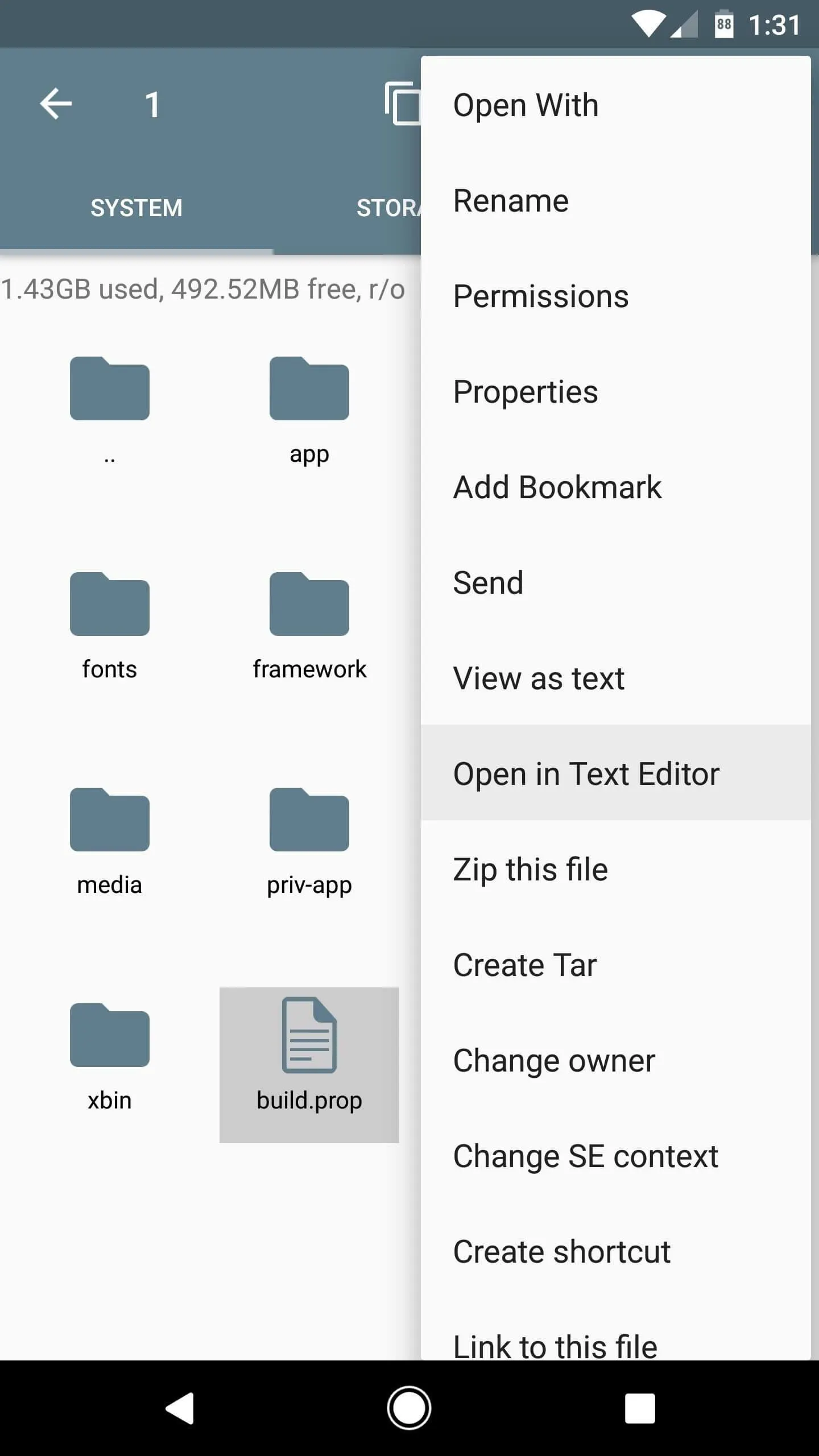
- It’s time to edit build.prop file. On build.prop file search this line ro.opa.eligible_device=true and replace true with false. Check the screenshots below.
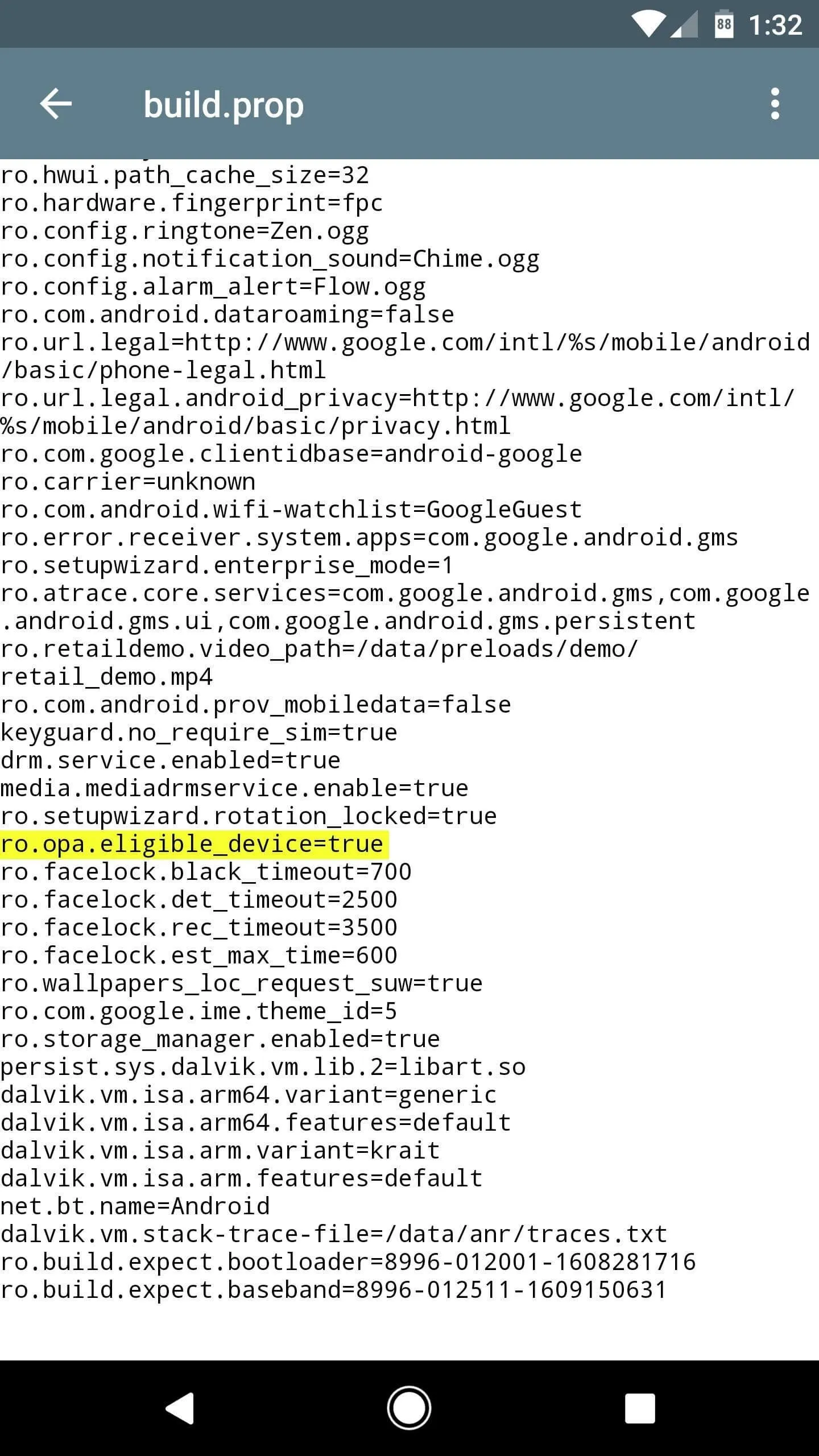
- After making the necessary change to the file, save it, and you are all done.
- After saving the file, reboot your Pixel device, and after the reboot, you will get Google Now instead of Google Assistance.
This is how you can get rid of Google Assistant Switch Back to Google Now on Google Pixel devices. You can also get back Google Assistant just by undo the change on build.prop file.

Leave a Comment