
If you have multiple phones and continuously forget where you left them, I have the perfect solution for you. In this article, I’m going to introduce you to a tweak with whom you will be able to find lost phone using Google Assistant.
Important Notice: The tweak is limited to the US region only. If you are from another area, the tweak won’t work for you.
Maybe you already know how to use Google Assistant on CM13 or Marshmallow if you don’t have a Pixel or Android N running device. To perform the tweak, you will need to install an application call IFTTT from Google Play Store; link mentioned below.
Recently I have published an article on post Facebook status using Google Assistant, be sure to read that also. Well, let’s know how we can find lost phone using Google Assistant.
How To Find lost Phone using Google Assistant
- You will need Google Assistant enabled Android device with IFTTT installed. You can download and install IFTTT on your device from this page.
- After installing IFTTT application on your Android, open the application and search for Google Assistant on the search tab.
- Once you get the result, click on Google Assistant and look for Tell Google Assistant to call your phone applet and open it.
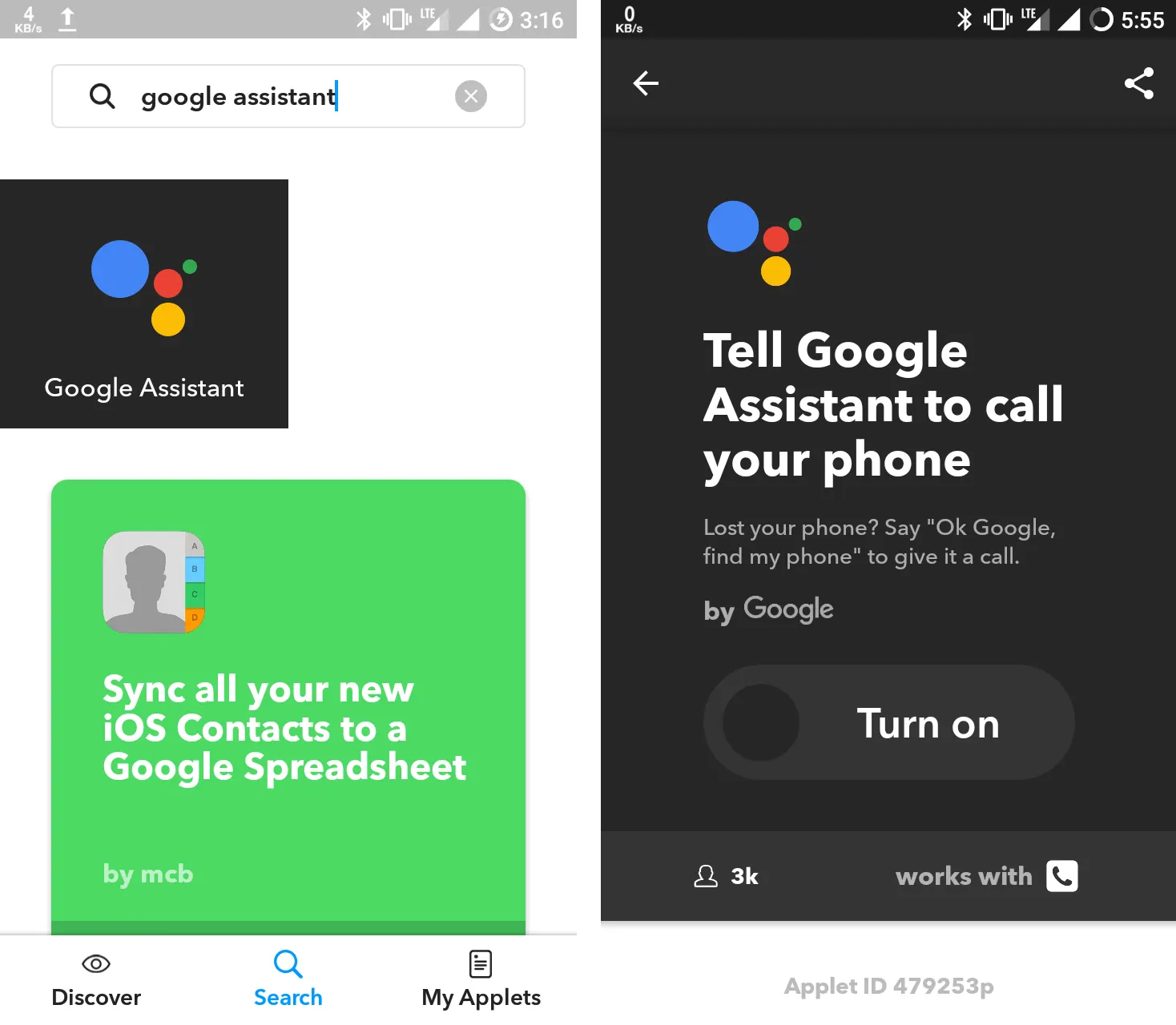
- Now you will see a huge Turn On button on the applet page, turn it on and it will ask you for phone number confirmation as shown in the screenshot below.

- There you will see a boy to type your phone number and with a button written Send PIN. After typing your phone number click on the Send PIN button. Now you’ll receive a PIN code via direct message to your phone. You need to provide that PIN code to IFTTT to confirm it.

- After typing the PIN code click on Connect button. If everything goes right it will redirect you to the next page. Here you will be asked to modify command lines to find lost phone using Google Assistant. Change the sentences or go wit the presets.
- Now, it’s time to test if you can find your lost phone using Google Assistant. To do that drop your phone anywhere in the house and open Google Assistant windows by long pressing the home button or saying OK Google. Now say find my phone or the line you set to find your phone in the applet.
Recommended: Google Assistant on CM13 or Marshmallow
Conclusion
That’s how you can use Google assistant to find your lost phone with IFTTT. There are thousands of applets available to use on your smartphone we will update them on Gizmodaily as soon as possible. So, stay tuned and be sure to Subscribe to our spam-free newsletter to get a notification. We post something like finding lost phone using Google Assistant.



Leave a Comment